How to manage Accounts Payable with Capital One Business

Summary
- Accounts Payable centralizes vendor payment management into a single dashboard, allowing businesses to schedule and track payments with no activation or subscription fees.
- It offers payment flexibility by allowing vendor bill settlement via credit card, ACH or check—even for vendors who don't directly accept cards (card transactions carry a 2.9% fee while bank ACH/checks are free).
- The tool integrates directly with QuickBooks® Online to sync accounting records, automate invoicing workflows and optimize cash flow management.
Accounts Payable from Capital One Business is a solution that eliminates the time-consuming manual bill-paying process. With Accounts Payable, you can pay vendor bills with ease, saving you time and hassle. From an intuitive dashboard and a streamlined process to added security features and the potential for earning rewards, learn more about how these features can help your business.
What is Accounts Payable from Capital One Business?
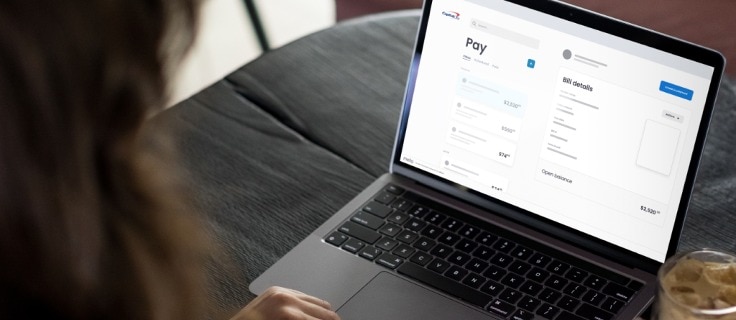
Accounts Payable is an easy-to-use solution that allows you to manage and track your vendor payments from your Capital One Business account. It provides a complete view of your payables and lets you schedule vendor payments in advance online—always on your schedule.
Accounts Payable can integrate seamlessly with accounting software like QuickBooks. There’s no subscription, activation or sign-up fee, and payments made through ACH transfer or check are free. However, each card payment is subject to a 2.9% fee. You’ll also have access to live customer service if you need assistance.
How does Accounts Payable from Capital One Business work?
Accounts Payable from Capital One Business provides you with an intuitive dashboard to centralize your accounts, add flexibility to settling vendor bills and manage cash flow. You can pay vendor bills seamlessly—even if the vendor doesn’t accept credit card payments. You also have the option to make an ACH transfer from any bank at no additional cost, and your vendors will receive the payment however you select—via check or ACH.
How can Accounts Payable help businesses?
Accounts Payable from Capital One Business can help your business by streamlining accounting processes, allowing you to earn rewards, enjoy flexible payment options, save time and enhance security. Here’s a closer look at each benefit.
Streamlining your business accounting processes
Accounts Payable helps streamline your accounting processes by allowing you to manage vendor payments all in one place. It can also sync with your accounting software, giving you a complete picture. When synced, all payment details and actions completed through Accounts Payable are connected seamlessly via two-way syncing with QuickBooks Online, helping create a streamlined payment process.
This can ensure your information is organized and up to date, so crucial financial information is less likely to be missed or inaccurate when compiling financial reports or balancing accounts. Overall, it can simplify and fast-track your financial department’s workflows—improving efficiency and freeing up time for functions that require hands-on expertise.
Earning cash back and travel rewards
You’ll earn cash back and travel rewards every time you make vendor payments with your Capital One Business card—even for vendors that don’t accept credit cards. For example, you can earn unlimited 2% cash back—with no preset spending limit or category restrictions—when you use your Spark Cash Plus card to make vendor payments.
If you use your Venture X Business card, you can earn unlimited 2X miles on every purchase you or your employees make. You can then redeem these miles on flights, hotels, vacation rentals and more—without restrictions or blackout dates.
Taking advantage of flexible payment options
Accounts Payable allows you to make payments in the way that makes the most sense for your business—by card, ACH or check. You can pay vendors directly with your Capital One Business card so those expenses don’t come directly from your business’s cash reserves. This allows payments to be delayed until the end of the billing cycle, freeing up cash flow in the short term.
If any of your vendors offer discounts for early payments, the ability to use credit may even allow you to pay early enough to earn those discounts—helping reduce your operational costs.
You can also choose to make vendor payments with any debit card, purchasing card or bank account.
Saving time and resources
With Accounts Payable, you can digitize and automate most—if not all—of your vendor payments, which can be uploaded to or automatically shared with this feature. You can also make, manage and track your vendor payments from one online dashboard, regardless of a vendor’s payment preferences. Plus, you can delegate payable processes to employees on your team by making them account managers.
This digitization minimizes paperwork and simplifies recordkeeping with smoother workflows—ensuring every transaction is accounted for and your payments go out on time. Automation can also improve accuracy, empowering your business—and its vendors—with more secure and reliable systems.
Enjoying enhanced payment security features
When you make vendor payments directly through your Capital One Business account, you help mitigate check fraud and protect your business. You can even set up security alerts to be notified via text, email and phone if Capital One Business notices any potential suspicious activity on your account. Fraud protection is built in for every payment—we keep your bank details private for ACH and check payments, and card payments offer added security.
How do I set up Accounts Payable?
To set up Accounts Payable, you’ll simply need your business’s federal tax identification number, the business bill(s) you’d like to start with and a few moments of your time. Here’s how to pay a vendor through the platform:
-
Sign in to your Capital One Business account. Select the Manage Accounts Payable tab above your transaction history and follow the prompts:
-
Read up on the platform.
-
Click Create A New Payment to review the information and consent. Then click Get Started when you’re ready to proceed.
-
Input any missing account information (if applicable; most accounts will already have the necessary information ready to go).
-
-
Enter bill information. New users need to input the vendor they wish to pay and the bill amount. Select Add Business Bill to enter vendor payment details. You have three options:
-
Enter the details manually.
-
Upload a PDF or image file of the business bill.
-
Connect to your QuickBooks Online account.
-
-
Choose your payment method. Choose whether to pay the vendor with your Capital One Business card or an ACH bank transfer. Each card payment is subject to a 2.9% fee, while transfers from a bank account are free.
-
Choose how the vendor will receive payment. Select the payment option the vendor prefers—they can receive either a paper check or a bank transfer. If you’re unsure, Capital One Business can send an email that asks the vendor to choose its preferred form of payment.
-
Select a payment deduction date and delivery speed. Schedule a payment deduction date and choose a delivery speed. Keep in mind that for check delivery, the payment amount is deducted on the payment deduction date, not when it’s cashed by the vendor. You also have an option to leave a note for the vendor that will appear in the email they receive.
-
Review and submit your payment. Once you’ve added your bill or payment details, be sure to review them for accuracy and completeness. If the details look correct, submit the payment. You’ll be prompted to choose a payment date and preferred delivery speed. Click Confirm to finalize your payment.
-
Provide business tax details. This step is for just the first payment. You’ll have to provide:
-
Tax ID type: Employer Identification Number (EIN), Social Security number (SSN) or Individual Taxpayer Identification Number (ITIN)
-
Tax ID number
-
-
Manage and track payments online from wherever you are. Once you’ve submitted the payment, you can sit back and relax—Capital One Business will take care of the rest. You can schedule, manage and track payments on the dashboard anytime from any internet browser.
Accounts Payable FAQ
Here are answers to some frequently asked questions about Accounts Payable:
What is the Capital One Business Accounts Payable subscription fee?
There is no sign-up or subscription fee to use Accounts Payable from Capital One Business.
How do I access Accounts Payable?
Log in to your Capital One business account and select Manage Accounts Payable on the extensibility bar above your transactions.
What payment options can I use?
Use your Capital One Business card or any debit card or bank account to enjoy flexible options for paying your vendors. Your vendors will receive the payment by whichever method you select: check or ACH.
Here are the different payment and delivery options and their fees:
| Choose your payment method: | Bank transfer delivery option | Paper check delivery option |
| Credit card | 2.9% | 2.9% |
| Bank account | 0% | 0% |
| Debit card | 2.9% | 2.9% |
How do I keep track of my vendor payments?
You can manage and track all your payments on the Accounts Payable dashboard within your Capital One Business account, including scheduled, upcoming and past payments.
Key takeaways
Accounts Payable with Capital One Business can help support any business looking to streamline its accounting processes.
For example, retailers can use Accounts Payable to help manage payments for vendor purchases like inventory, merchandise and operating supplies. Manufacturers can use Accounts Payable to process large volumes of supplier invoices and maintain vendor service agreements. And startups in the technology industry may use Accounts Payable to keep track of software tools, subscriptions and freelance developer invoices.
No matter what industry you might do business in, Accounts Payable allows you to manage, track and make all your vendor payments with your Capital One Business account. It’s accounts payable made painless.